Migrate Jira users and groups without escalation
When you migrate Jira users and groups to a Cloud site that already has a group with the same name, the two are not kept apart. They are joined by name, and everyone in the source group ends up inheriting whatever the Cloud group can do. Atlassian says it plainly on its own page, "How Jira users and groups are migrated": "Group linking is identified by group name and could result in permission escalation during migration. Make sure you check your groups before migrating."
That sentence is easy to scroll past. It is also the reason the Jira pre-migration checklist has one item marked mandatory that has nothing to do with data: "Check for conflicts with group names". This post is about that item, for both routes into Cloud, Data Center to Cloud with JCMA and Cloud to Cloud with copy product data, because they fail in slightly different ways. I read every Atlassian page quoted here on 24 September 2026, and I reproduced the Cloud side on our test site, which I'll get to.
How JCMA links groups when you migrate Jira users and groups
On the Data Center to Cloud route, users are matched by email address: if the address already exists in Cloud, the account is not migrated again, and everything connected to it is linked to the existing Cloud account. Groups are matched by name. Atlassian's page on duplicate groups spells out what happens when a name already exists in Cloud: "We'll migrate new users into existing cloud groups", "We won't migrate the server groups, keeping the original groups in cloud" and "We won't migrate access from the server groups, keeping the original in cloud".
Read those three together and the direction is clear. The Cloud group wins. Your Data Center group's members are poured into it, and whatever that Cloud group already grants, they now have. The Data Center group's own access does not come across at all.
Atlassian gives two examples, and both are worth keeping in your head. A Marketing group that is view-only in Confluence on Data Center, meeting a Marketing group with view and edit in Cloud: "the migrated users receive additional edit permission". And a "Team leads" group with Jira access on Data Center, meeting a "Team leads" group configured for Confluence in Cloud: "users from the server group receive different access – access to Confluence, and not Jira." The first is escalation. The second is people quietly losing the app they use every day, which gets noticed faster but is no less wrong.
Note the wording on the Jira page, too. It says groups are "linked", not "merged". It is the same effect. Don't let the softer verb lower your guard.
There is one more line on that page that makes this worse on phased migrations: "It might happen that you migrate a project or space thinking it can only be viewed by Admins, but in reality – the cloud's Admins might have more users than its server counterpart." Your permission scheme is correct. The group it points at is not the group you think.
Why site-admins does not merge, but your other admin groups do
The obvious fear is that a Data Center group called site-admins lands on the Cloud site-admins group and hands org-level power to everyone in it. That specific case is handled. Atlassian blocklists a short list of admin groups from migration "to prevent permission escalation". For the migration assistants the list is "site-admins", "system-administrators", "atlassian-addons", "Atlassian-addons-admin" and "org-admins", and the page is clear that these "aren't migrated at all". They are not renamed and they are not merged. Their users are still migrated, so after the migration you add the people who should be admins back into those groups yourself, in admin.atlassian.com under Users, then Groups.
The trap is everything that is not on that list. The same page says: "We migrate groups with admin permissions (Jira administrators, Confluence administrators), together with their users." Those groups are matched by name like any other. So the risk is not the group with the scary name, it is the ordinary-looking one: a jira-admins group, a project-admins group, a custom "Team leads" that somebody gave a project role years ago.
I wanted to see what membership of an admin group actually gives you on a Cloud site, rather than assume it. On wolfaenpak, our test site, I took a user with no Jira app role at all and checked their permissions with POST /rest/api/3/permissions/check. Before: no global permissions. Then I added them to the site's Jira admin group, jira-admins-wolfaenpak, and checked again:
# before                  "globalPermissions":[]
# add U to jira-admins-wolfaenpak -> 201
# after admin group       "globalPermissions":["ADMINISTER"]
That is Jira global administration, granted the moment the membership exists, to an account that has no Jira access of its own. If a migration had added that user to that group by name, this is what they would have walked away with. I removed the membership and checked again, and the user went back to "globalPermissions":[].
I also tried the project-level version, and I want to be straight about how it came out. I made a custom group, gave it the Member role on a test project, and added the same user. They did not get Browse Projects. The most likely reason is that the user had no Jira app access, so a project role had nothing to attach to. I did not repeat it with a licensed user, so I am not going to claim here that I showed project-level escalation on Cloud. What I showed is the global one, and Atlassian's own examples cover the rest.
One thing I found on the destination side is worth knowing. Current Cloud sites create their default groups with a site suffix. Atlassian's default-groups page gives confluence-users-vitafleet and confluence-admins-vitafleet as examples, and wolfaenpak has jira-admins-wolfaenpak and jira-software-users-wolfaenpak rather than the plain names Data Center admins are used to. On this site, a Data Center group called jira-administrators would not collide with anything. I have not checked older Cloud sites, and I would not assume yours looks like ours. That is what the audit below is for.
Cloud to cloud migration: the same merge in copy product data
JCMA plays no part when you move from one Cloud site to another. The tool is copy product data, which Atlassian also calls transferring app data, and it moves "users, projects, spaces, and related data within or across organizations". It checks group names in exactly the same way: "We check if groups with the same names exist in your source and destination."
What is different is that Atlassian documents the result as a merge, and says precisely what the merged group gets. From "Understand how permissions can change when copying groups": the merged group "retains project permissions of the source groups" and "is granted both project and app permissions of the destination group". In JCMA the Cloud side simply wins; here the permissions add up in both directions.
How permissions change when groups are merged
Atlassian's worked example is the clearest thing on the subject, so here it is in their terms. Acme-Europe is the source. Its Marketing group has users A, B and X, and can browse project Alpha. Acme-Global is the destination. Its Marketing group has users A, B and C, and can browse project Beta.
Copy product data gives you two choices for users. If you copy users and groups separately, "users A, B, and C get access to both Alpha and Beta projects after copying is complete. We'll copy X but X won't be added to the group and so won't have access to the two projects." If you copy users with their groups, "users A, B, C, and X will get access to both Alpha and Beta projects."
Look at user C. C was never in the source Marketing group and has never been near project Alpha, and in both options C can now browse it. The "separately" option, which sounds like the safe one, protects you from X getting access to Beta. It does nothing about C getting access to Alpha, because C is already in the destination group and the destination group now carries Alpha's grants. If Alpha holds anything confidential, the fix is not the option you pick. It is making sure the two Marketing groups are not the same group before you copy.
The blocklist exists on this route too, with one difference. The copy-product-data page lists four blocklisted groups: "site-admins", "system-administrators", "atlassian-addons" and "Atlassian-addons-admin". org-admins, which is on the JCMA list, is not on this one as of the day I read it. Users in those groups are still copied, and as with JCMA you add them back by hand. Any other group that manages admin access "will be copied", and then the merge rule applies to it.
If you run a sandbox, note that the same thing happens there. Atlassian's page on copying data to a sandbox says: "If a group with the same name already exists on your sandbox, we'll merge the two groups. And if users are new to the sandbox, they will automatically acquire permissions of the existing sandbox group."
I looked for any statement that same-organisation and cross-organisation copies treat groups differently, and found none. The pages only say data can move "within or across organizations". Treat both the same until Atlassian says otherwise.
Duplicate and re-migrated groups: members are only ever added
Both routes share one rule that makes a mistake sticky. On JCMA: "When you re-migrate a group to cloud, we won't update its existing memberships or the group itself. We only add new users that appeared in the group since the last migration. This can result in permission escalation." Atlassian's example is exact: you migrate an Admins group, remove some users from it on Data Center, and re-migrate. "The removed users will still be members of the cloud's Admins group."
Copy product data behaves the same way: "When you transfer from the same source to the same destination again, we copy only new users, groups, and teams."
So a second run does not correct the first one. If a merge put the wrong people into a group, you clean it up in Cloud by hand, and on a test-then-production plan where you migrate the same groups several times, you should expect Cloud membership to be the union of every run you have ever done. While you are there, the Jira page also notes that project roles re-migrated with the same project come across with a "(migrated)" suffix, "a known issue and requires manual clean-up". Different problem, same cleanup session.
Migrate users and groups before other data, but audit first
Atlassian recommends migrating users and groups on their own, before any projects, "to save time on the migration day". What follows that first run is a review step: "After migrating, you'll see a notification in admin.atlassian.com asking to you review product and admin access for each migrated group." That review is where you decide what each group gets. It is also the first moment you can see what landed, which means it is already after the merge. The audit has to come before.
Atlassian offers three ways out on the duplicate-groups page. You can rename the group in Cloud before migrating, and "the migrated server groups lose their cloud duplicates and can be migrated as new, unique groups". You can rename it on Data Center, but that page warns it "is not straightforward, because you can only do it by modifying the database". Or you can migrate users without preserving their group membership at all, and rebuild membership deliberately in Cloud. If you do intend two groups to become one, the checklist allows it, "unless you're intentionally trying to merge them", but that should be a decision written down somewhere, not a side effect.
The audit itself is small. Export your source group names into a text file, one per line. On Data Center that is the group list in user management; on a Cloud source it is the same REST call as below, pointed at the source site. Then run this against the destination:
#!/usr/bin/env bash
# usage: SITE=https://x.atlassian.net EMAIL=... TOKEN=... ./group-collision-audit.sh source-groups.txt
set -euo pipefail
src="$1"; start=0; : > dest.txt
while :; do
  page=\((curl -s -u "\)EMAIL:\(TOKEN" "\)SITE/rest/api/3/group/bulk?startAt=$start&maxResults=50")
  echo "$page" | python3 -c 'import sys,json;[print(g["name"]) for g in json.load(sys.stdin)["values"]]' >> dest.txt
  [ "\((echo "\)page" | python3 -c 'import sys,json;print(json.load(sys.stdin)["isLast"])')" = True ] && break
  start=$((start+50))
done
echo "destination groups: $(wc -l < dest.txt | tr -d ' ')"
tr 'A-Z' 'a-z' < dest.txt | sort -u > dest.lc; tr 'A-Z' 'a-z' < "$src" | sort -u > src.lc
comm -12 src.lc dest.lc | while read -r g; do
  n=\((curl -s -u "\)EMAIL:\(TOKEN" -G "\)SITE/rest/api/3/group/member" --data-urlencode "groupname=$g" --data-urlencode maxResults=1 | python3 -c 'import sys,json;print(json.load(sys.stdin).get("total"))')
  echo "COLLISION  \(g  destination members: \)n"
done
I ran it against wolfaenpak with a sample list of ten source names, the classic Data Center ones plus a couple I knew would match. This is what it printed:
destination groups: 216
COLLISION  atlassian-addons-admin  destination members: 26
COLLISION  jira-software-users-wolfaenpak  destination members: 50
COLLISION  site-admins  destination members: 3
COLLISION  system-administrators  destination members: 0
Reading that output correctly matters more than running it. Three of the four hits are on the blocklist, so they will not merge: they will be skipped, and the job for those is re-adding admins by hand afterwards. The fourth, jira-software-users-wolfaenpak with 50 members, is the real one. Every user in a source group of that name would join those 50, with whatever that group can do. That is the line you take to the person who owns the migration and get a decision on.
Two caveats on the script. It compares names case-insensitively, which is my choice; I could not find anything from Atlassian saying whether their name match is case-sensitive, so I would rather see a near-miss than miss one. And the member count is the destination side only; the other half of the question, who in the source group would be added, is your export. On a Cloud-to-Cloud copy, run it the other way round as well, because the merge adds permissions in both directions.
What I would do on the next migration
Before the first test run, not the production one, pull the destination group list and the source group list and intersect them. For each collision, decide on paper whether the two groups are meant to be one. If not, rename the Cloud group before you migrate, since that is the cheap side. Treat the blocklisted groups as a separate task: they are not migrated, the Cloud groups keep only the members they already had, and someone has to put your admins back in. Remember that global site permissions are not migrated by JCMA either ("You'll need to set these manually before or after migration"), so the admin picture in Cloud is something you build, not something you copy.
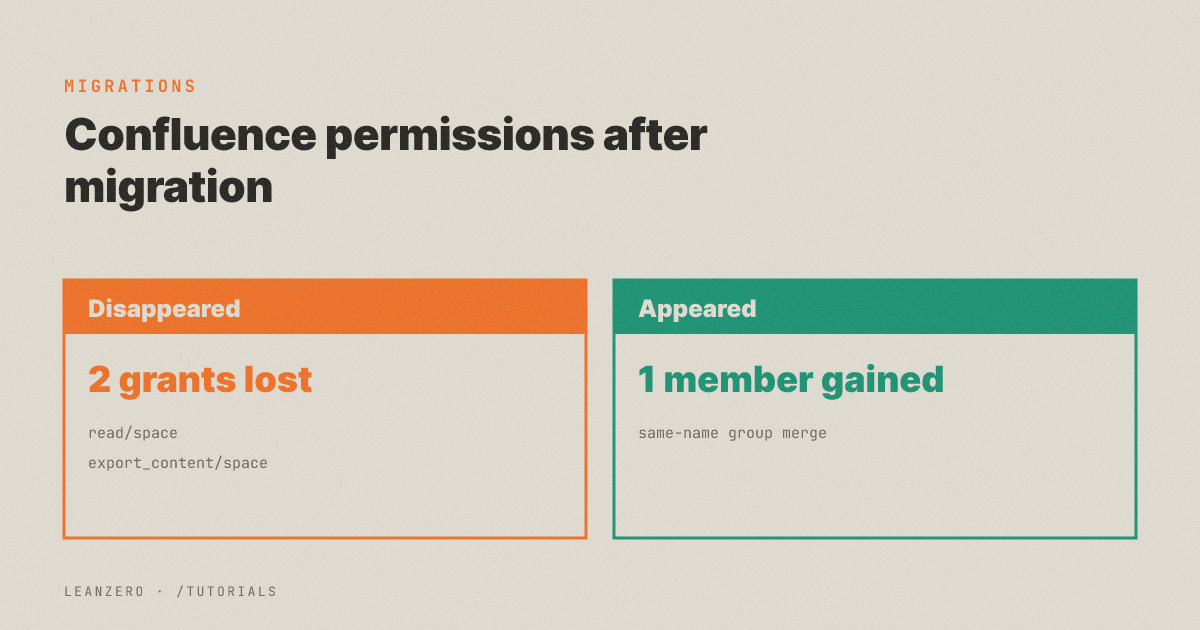
If you are coming from Confluence as well, the same merge rule hits space permissions, and I walked through that side with a before-and-after permission diff in Confluence space permissions after migration. Groups are not the only thing that looks fine after a move and isn't: automation rules lose their actor, covered in Jira automation rules: JCMA drops the actor, and saved filters can break without an error, covered in Jira filters break silently after a migration.
What I don't know yet, and would like to: whether any Cloud migration path renames a colliding group rather than joining it (nothing I read says so), whether the name match is case-sensitive, and how project-level inheritance through a merged group behaves for a licensed user on a live site. If you have measured any of those, I'd like to hear it. Migrations like this are the work LeanZero does for clients, and this audit is the first thing we run.